Before the Egyptian Tax Authority accepts an e-invoice, the document must be signed with an electronic signature certificate that belongs to your company. That single requirement decides a lot about how your invoicing runs: whether it depends on one person's computer, whether it works at night, and what happens when the certificate expires. This guide explains the options and how they work with Odoo.
FlexCode Middle East is part of FlexCode Systems GmbH, an Odoo Silver Partner. We implement Odoo, so Odoo is the system we describe, next to an honest look at the topic itself.
Key points
- A certificate is required. E-invoices are signed with a company certificate from a provider licensed in Egypt.
- Token or HSM. A USB token suits low volumes; an HSM or cloud signing suits high volumes and round-the-clock invoicing.
- Odoo uses an IoT Box. With a token, Odoo signs through an IoT Box where the token is plugged in, not through a user's laptop.
- Plan for renewal. Certificates expire. A lapsed certificate stops all invoicing until it is renewed.
Integrates with

Why e-invoices are signed
The signature proves two things: that the invoice really comes from your company, and that nobody changed it after it was issued. Technically, your system calculates a fingerprint of the invoice data and encrypts it with your private key. The ETA checks it with your public certificate. If even one digit in the invoice changes, the check fails.
The private key must be kept on secure hardware, which is why you cannot simply store the certificate as a file on your server. That is where the choice between a USB token and an HSM comes in.
- Invoice data prepared
- Fingerprint calculated
- Signed with the private key
- Sent to the ETA
- Signature verified
The private key never leaves the token or the HSM.
Getting a certificate
Signature certificates for e-invoicing are issued by certification service providers licensed by ITIDA, the Information Technology Industry Development Agency. The certificate is issued in the company's name and is tied to its tax registration. Expect to provide the commercial register, tax card and the identity documents of the authorised signatory.
- Ask for an e-invoicing (seal) certificate, not a personal signature certificate.
- Check the validity period and note the expiry date in your calendar and in Odoo.
- Decide at the start whether you need a token or HSM, because the hardware is issued with the certificate.
- Register the certificate and your ERP system on the ETA portal before testing.
USB token, HSM or cloud signing
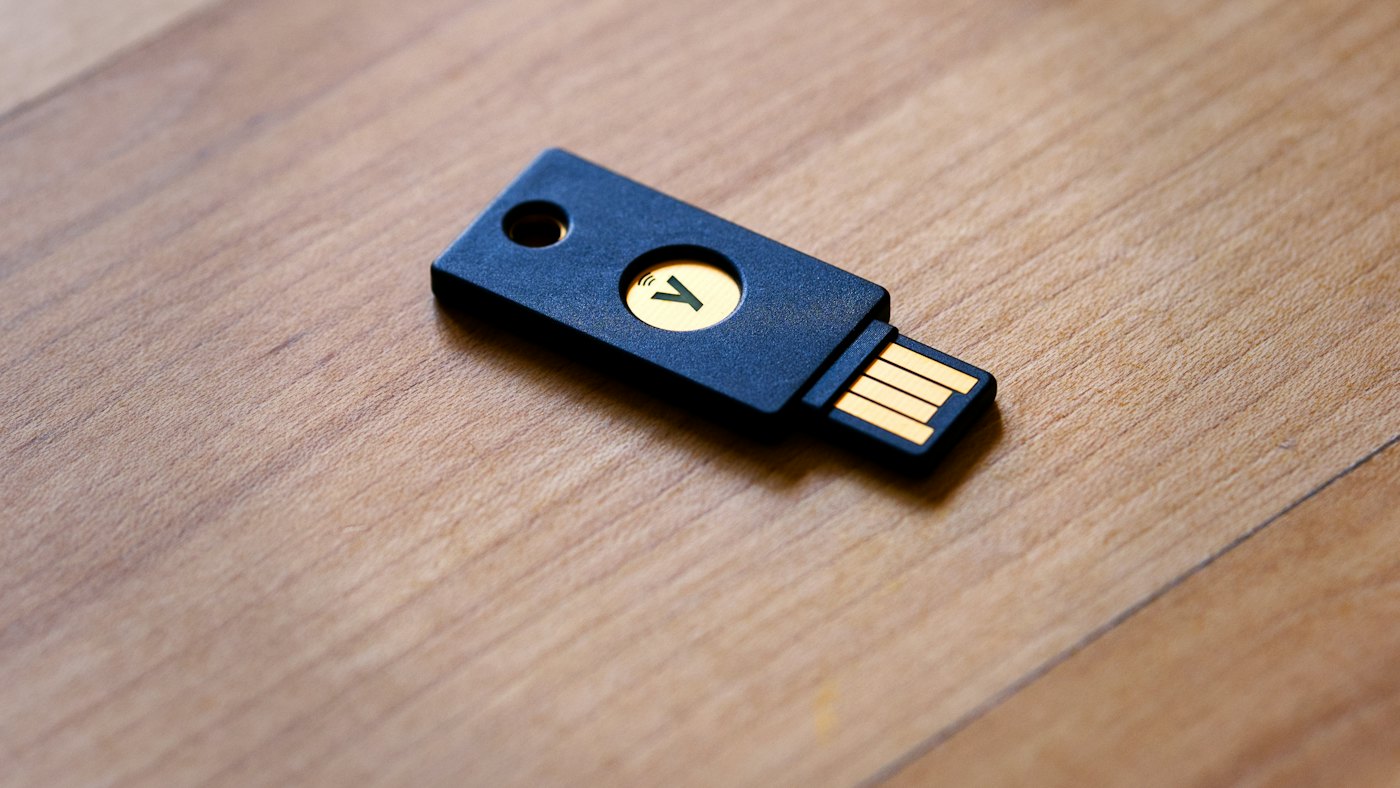
A USB token is a small device, similar to a flash drive, that holds the private key. It is cheap and quick to obtain. An HSM, or hardware security module, is a dedicated device or service that signs at high speed on a server, and providers also offer remote or cloud signing based on HSMs they operate.
| USB token | HSM or cloud signing | |
|---|---|---|
| Typical volume | Tens to a few hundred invoices a day | Thousands of invoices a day |
| Where it runs | Plugged into a device on site | Data centre or provider service |
| Availability | Only when the device is on and connected | Around the clock |
| Cost | Low | Higher, often a subscription |
| Main risk | Token lost, unplugged or taken home | Dependence on the provider |
For most small and mid-sized companies a token is the right start. Move to an HSM or cloud signing when invoice volumes grow, when you invoice outside office hours, or when you have several branches issuing invoices at the same time.
How signing works with Odoo
Odoo runs in a browser and, for most companies, in the cloud, while a token is a physical device in your office. Odoo bridges the two with an IoT Box: a small device on your network that the token is plugged into. When a user sends an invoice to the ETA, Odoo passes the data to the IoT Box, the token signs it, and Odoo submits the signed document.
- Obtain the certificate and token, and install the token drivers supplied by the provider on the IoT Box setup as instructed.
- Connect the IoT Box to your Odoo database and plug in the token.
- Enter the token PIN in the Odoo ETA settings and link the box to the company.
- Send test invoices in the ETA pre-production environment, then switch to production.
- Place the IoT Box somewhere safe and always on, not on someone's desk.
The rest of the e-invoicing setup, including item codes and the most common rejections, is in our guide to ETA e-invoicing in Odoo. If you plan to move hosting, check how it affects signing in Odoo Online, Odoo.sh or on-premise.
Keeping invoicing running
The most common signing problem is not technical. It is the token sitting in an accountant's laptop bag on a Thursday evening while the warehouse needs to invoice a delivery. A few rules prevent most of this.
- Keep the token permanently in the IoT Box, never in a personal computer.
- Know who holds the PIN, and have a second authorised person.
- Set a reminder 60 days before the certificate expires, because renewal involves paperwork.
- Consider a spare token or a cloud signing service for business continuity.
- Monitor unsigned invoices daily, so a stopped IoT Box is noticed in hours, not weeks.
When the certificate is renewed, the new certificate must be installed and registered before the old one expires. Plan a short test after each renewal, sending one real invoice and checking it is accepted.
Which option should you choose?
Start with a token if you issue fewer than a few hundred invoices a day from one location during office hours. Plan for an HSM or cloud signing if you invoice from several branches, run e-commerce or POS volumes, or cannot accept a pause in invoicing. Whatever you choose, make the signing setup part of your go-live checklist, not an afterthought.
For the full list of what to have ready before launch, see our ERP go-live checklist.
FlexCode sets up ETA signing with Odoo
We help you choose between token and cloud signing, configure the IoT Box, test with the ETA and set up renewal reminders.
Frequently asked questions
Do I need a signature certificate for Egyptian e-invoicing?
Yes. Every e-invoice must be signed with a company certificate from a provider licensed by ITIDA.
Can Odoo Online sign with a USB token?
Yes, through an IoT Box on your network with the token plugged in.
When should I move to an HSM?
When volumes reach thousands of invoices a day, when several sites invoice at once, or when invoicing must run around the clock.
What happens when the certificate expires?
Invoices can no longer be signed, so they cannot be submitted. Renew and install the new certificate before the expiry date.
Can one token sign for several companies?
No. Each legal entity needs its own certificate.
Talk to us about how Odoo fits your business. Book a free call
Sources
- Egyptian Tax Authority: e-invoicing
- ITIDA: electronic signature
- Odoo documentation: Egypt localization
This article explains the rules in general terms and is not tax or legal advice. Check the details for your company with your tax adviser.
Run invoicing, stock and accounts from one system.
FlexCode Middle East implements Odoo in Arabic and English for companies in Egypt, Saudi Arabia and the UAE.